


Edit or Delete a QR Code
You can update your QR code details at any time, or delete them if you're selling or transferring the tracker to another account.
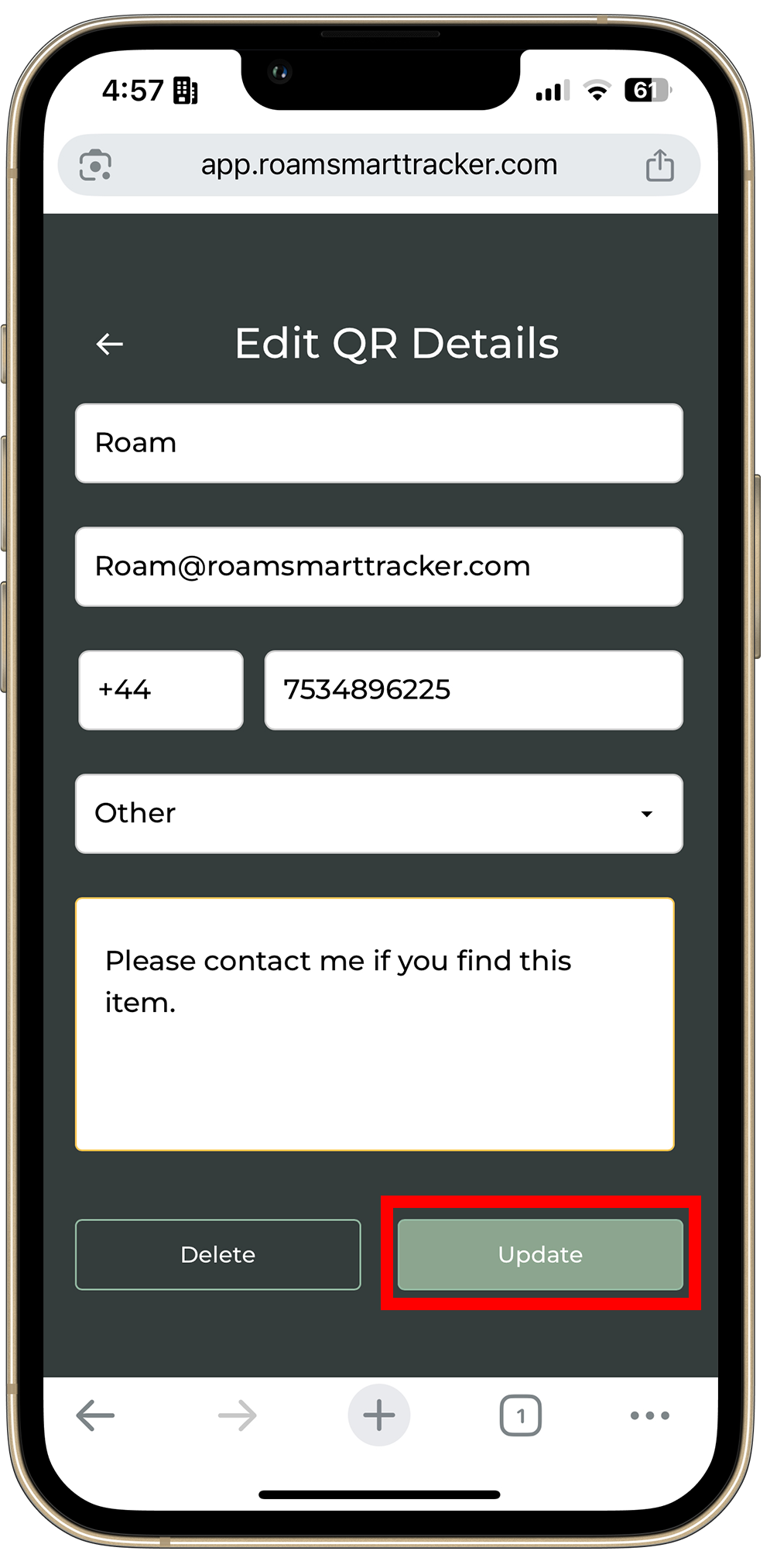
Edit QR Code Details
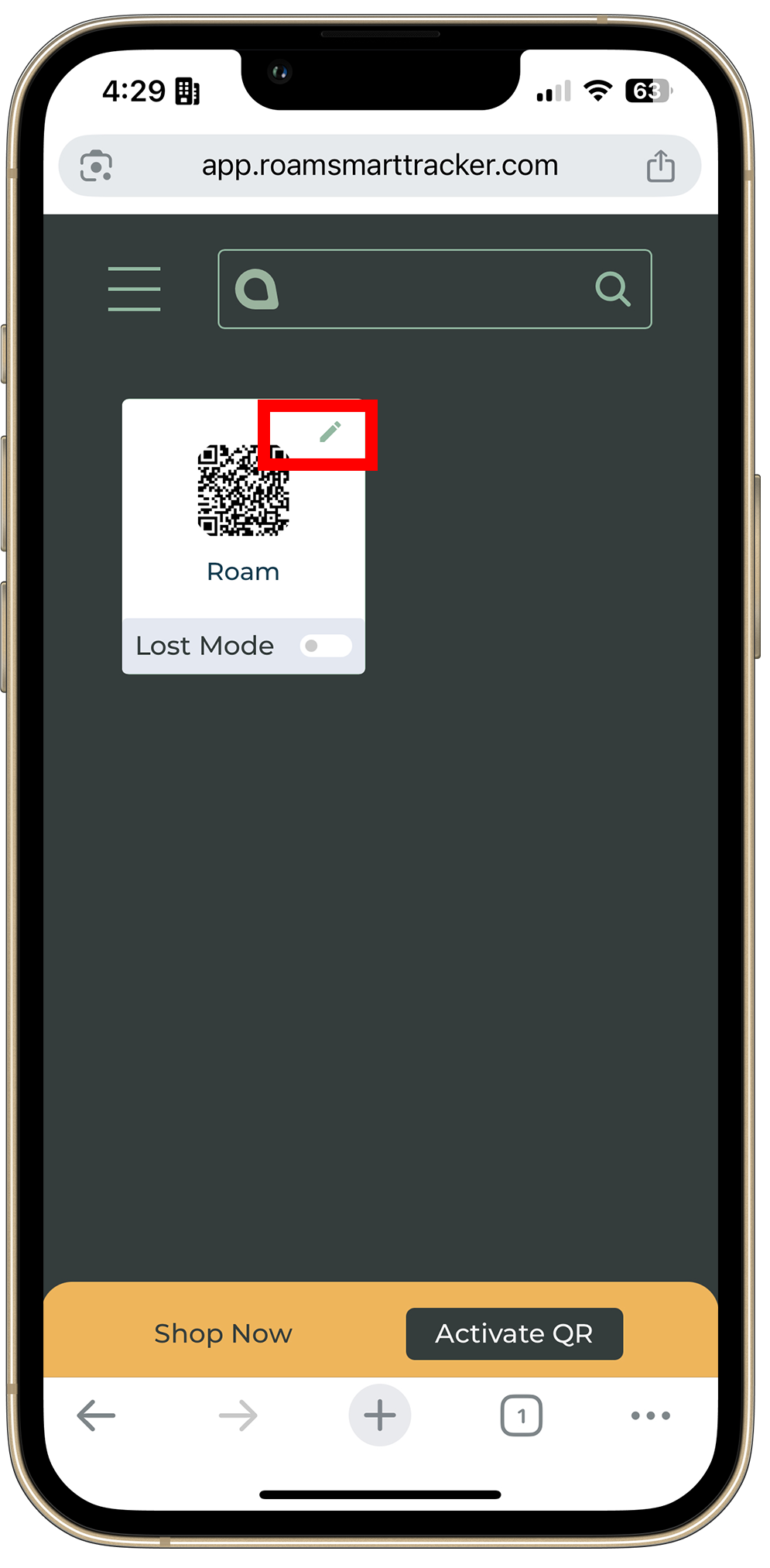
- Open the Roam QR app at app.roamsmarttracker.com.
- Select your tracker.
- Tap the ✏️ pencil icon in the top right corner.
- Edit your contact details or message, then tap Update.
Delete a QR Code
- Open the Roam QR app and select your tracker.
- Tap the ✏️ pencil icon in the top right corner.
- Scroll down and tap Delete (bottom left).
- Confirm to permanently remove the QR code from your account.
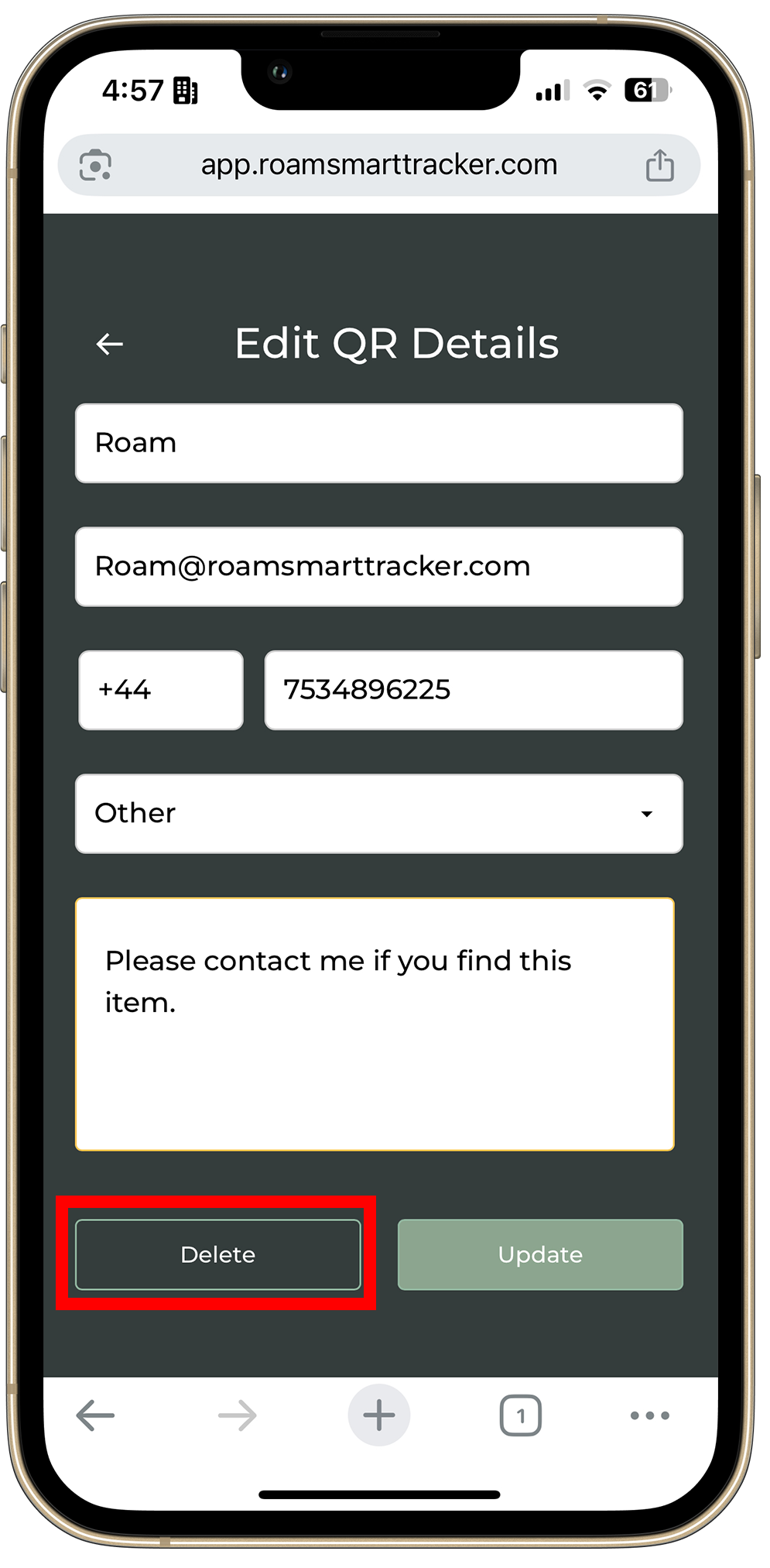
⚠️ Warning: A deleted QR code can no longer be used to return your item. Only delete it if you're selling or transferring the tracker to another account.
Need Help?
Contact our support team at care@roamsmarttracker.com.
- Choosing a selection results in a full page refresh.
- Opens in a new window.